Transform your phone with a sleek, customizable launcher that closely mimics Apple's elegant interface
Transform your phone with a sleek, customizable launcher that closely mimics Apple's elegant interface
Vote (2 votes)
Program license Free
Developer Launcher Home
Version 1.79
Works under Android
Vote
(2 votes)
Developer
Launcher Home
Works under
Android
Program license
Free
Version
1.79
Pros
- Faithful replication of iOS 14 interface and icons
- Customizable widgets and app organization
- Universal search and handy shortcuts
- Free to download and use
Cons
- Occasional resets to settings and icons
- Displays ads within the launcher
- Requires multiple permissions
Experience the iOS 14 interface on Android with customizable features and app organization.
Authentic iOS Look for Android Devices
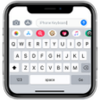
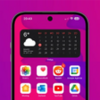
iOS Launcher iPhone 14 transforms Android devices by replicating the distinctive iOS 14 interface. This launcher appeals to users wanting the sleek and minimal aesthetics of Apple’s operating system without switching hardware. Every element, from app icons to the layout and menus, closely mirrors the familiar iOS style, offering an immersive experience for those who admire Apple’s approach to design.
Personalization and Customization Features
The app offers a variety of customization options to suit different preferences. Users can adjust wallpapers, select iOS-style widgets, and easily organize apps into groups or folders. It is possible to change app icons to accurately match the iOS theme, hide seldom-used applications from the main view, and add widgets with a frosted glass look. Universal search is integrated, allowing quick access to apps, web content, and contacts by swiping left on the home screen, emulating the iOS Spotlight Search.
User-Friendly Functionality and Accessibility
Beyond its visual appeal, iOS Launcher iPhone 14 includes features designed to enhance usability. Notable is the double-tap gesture to lock the device, mirroring the convenience found on Apple devices. The launcher also supports customizable gestures and shortcuts, making navigation and multitasking more efficient for users.
Performance and Stability
The launcher is praised for its smooth transitions and responsive operation on a wide range of devices, even those with modest hardware. However, some users have reported occasional resets to icon customizations and settings after returning to the home screen. While these incidents do not occur constantly, they can interrupt the experience and may require a restart or reconfiguration.
Advertisements and App Permissions
As a free app, iOS Launcher iPhone 14 displays ads within the interface. While not overly intrusive, this may disrupt the visual flow for those seeking a more seamless imitation of Apple's ecosystem. Additionally, the app requests several permissions to function effectively, such as access to notifications, overlays, and accessibility settings, which could raise privacy concerns for certain users.
Conclusion
iOS Launcher iPhone 14 provides Android users with a highly accurate and visually refined alternative to their default home screen. It manages to capture the look and much of the feel of iOS 14, blending aesthetic appeal with improved navigation and customization. While it excels at delivering an Apple-inspired experience, minor stability issues and advertising may limit enjoyment for some users.
Pros
- Faithful replication of iOS 14 interface and icons
- Customizable widgets and app organization
- Universal search and handy shortcuts
- Free to download and use
Cons
- Occasional resets to settings and icons
- Displays ads within the launcher
- Requires multiple permissions